
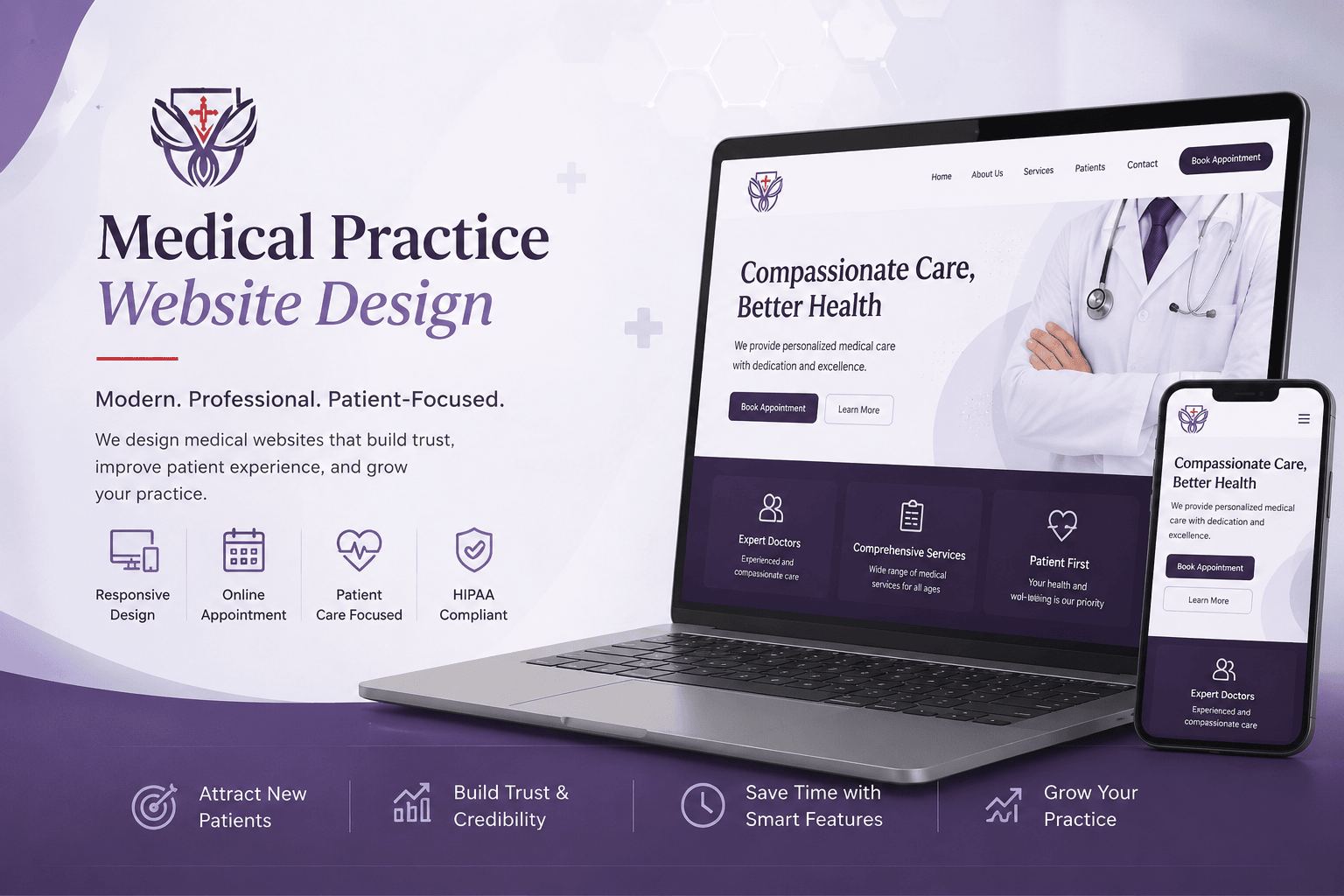
For most patients, your Medical Practice Website Design is the first real interaction they have with your practice, not the front desk, not the phone call, and not the exam room. Before someone books an appointment, they’re checking your site to see if you’re credible, easy to reach, and worth trusting with their care.
This guide covers everything that goes into a medical practice website that actually performs, design fundamentals, HIPAA compliance, SEO and schema markup, platform choices, realistic pricing, conversion optimization, and how to prepare your site for AI-powered search in 2026.
This guide was reviewed by SitBuzz healthcare marketing and IT team, who work daily with medical practices, clinics, and multi-location healthcare organizations across the United States on website design, SEO, and digital growth.
Why Medical Practice Website Design Matters
First Impressions & Trust
A patient decides whether to trust your practice within seconds of landing on your homepage. An outdated design, a slow-loading page, or a confusing layout raises doubt, even if your care is excellent. A clean, modern, well-organized website signals the same professionalism patients expect to find in your office.
Impact on Patient Acquisition & Appointment Bookings
Your website is often the deciding factor between a visitor who books an appointment and one who moves on to a competitor. Clear navigation, visible contact information, and a simple booking process directly affect how many visitors turn into patients.
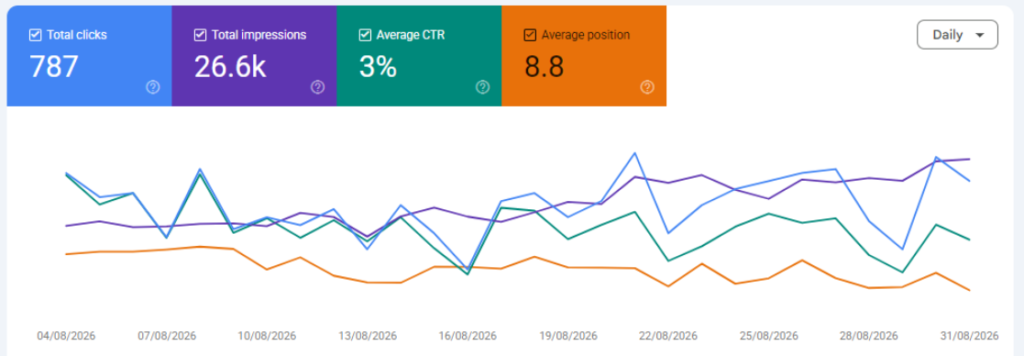
SEO & Google Ranking Impact
Google favors websites that are fast, secure, mobile-friendly, and built around clear, accurate content. A well-structured medical website isn’t just easier for patients to use, it’s also easier for Google to understand and rank, which means more visibility when people search for care in your area.
Core Design Elements Every Medical Website Needs
Mobile Responsiveness
Most patients search for healthcare providers on their phones. Your website needs to look and function well on any screen size, with buttons, forms, and text that are easy to tap and read without zooming.
Clean, Accessible Layout (ADA Compliance)
An accessible website works for every patient, including those using screen readers or other assistive technology. This means proper heading structure, descriptive alt text on images, sufficient color contrast, and keyboard-navigable menus. Beyond being the right thing to do, accessibility reduces legal risk under the ADA.
Fast Load Times (Core Web Vitals)
Google measures how quickly your pages load, how fast they respond to interaction, and how stable the layout is while loading. Slow websites lose patients before the page even finishes loading, and they tend to rank lower in search results.
Clear CTAs & Appointment Request Forms
Every page should make it obvious what to do next. Request an Appointment, Call Now, or Book Online buttons should be visible without scrolling, and forms should ask for only the information you truly need.
Provider Bio & About Pages
Patients want to know who is treating them. Strong provider bios include credentials, experience, specialties, and a professional photo, details that build trust and also support Google’s expectations for expertise and authority in healthcare content.
Patient Testimonials & Reviews Section
Real patient feedback, displayed prominently, helps new visitors feel confident about choosing your practice. Pulling in reviews from Google or other trusted platforms adds credibility without requiring extra work from your team.
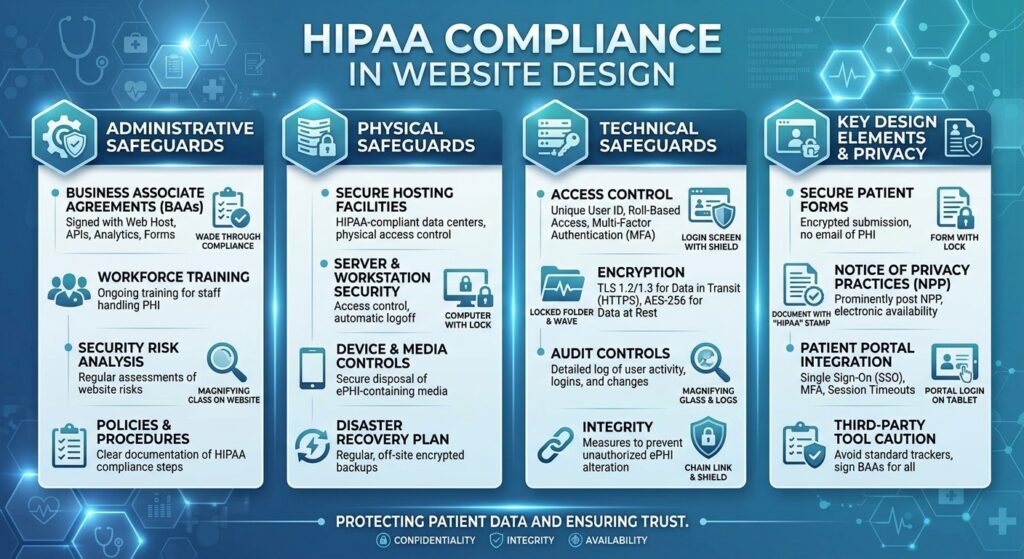
HIPAA Compliance in Website Design
A Medical Practice Website Design isn’t just a marketing tool, it can also be a point of contact for protected health information. Getting HIPAA compliance right protects your patients and your practice.
HIPAA-Compliant Contact & Intake Forms
Any form that collects patient health information needs to be encrypted and submitted through a secure, HIPAA-compliant process, not a standard contact form plugin that emails submissions as plain text.
Secure Patient Portal Integration
If your website links to a patient portal, that connection needs to be secure end to end, with clear guidance for patients on how their information is protected once they log in.
SSL Certificates & Data Encryption
Every medical website should run on HTTPS with a valid SSL certificate. This encrypts data moving between the patient’s browser and your server, and it’s also a ranking factor Google takes into account.
Business Associate Agreement (BAA) with Hosting Providers
If your hosting provider or any third-party tool touches protected health information, you need a signed Business Associate Agreement in place. Many standard hosting companies won’t sign one, so this is worth confirming before you choose a host.
Common HIPAA Website Mistakes to Avoid
• Using standard contact form plugins that email patient details as plain text
• Embedding third-party chat widgets or analytics tools without checking their data handling practices
• Storing patient form submissions on a server without a signed BAA
• Skipping SSL on certain pages, such as forms or portal login pages
• Not having a documented process for who can access submitted patient information
SEO & Technical Foundations
On-Page SEO for Medical Websites
Each page should target a clear, specific topic, a service, a condition, or a location, with descriptive titles, headings, and content that answers what a patient is actually searching for. Thin, generic pages rarely rank well against more specific, well-written competitors.
Schema Markup You Need
Schema markup helps Google understand exactly what your website is about, which can improve how your practice appears in search results.
The most important types for healthcare websites are:
• MedicalOrganization / MedicalClinic schema — identifies your practice, address, and hours
• Physician schema — identifies individual providers, their specialties, and credentials
• FAQPage schema — helps FAQ content appear directly in search results
• BreadcrumbList schema — shows your site structure in search listings and improves navigation
Local SEO & Google Business Profile Optimization
For most practices, local search is where the real opportunity is. A fully optimized Google Business Profile, with accurate hours, categories, photos, and regularly updated posts, works alongside your website to improve visibility in local map results.
Site Architecture for Multi-Location / Multi-Provider Practices
Practices with multiple locations or providers need a clear structure: a dedicated page for each location with its own address, hours, and local content, plus individual provider pages linked from a central directory. This helps both patients and Google understand where and from whom care is available.
Choosing the Right Platform
WordPress vs. Healthcare-Specific Platforms vs. Custom Build
There’s no single right platform for every practice, the right choice depends on your budget, how much control you want, and how complex your website needs to be.
| Platform | Best For | Typical Cost Range | Control & Flexibility |
| WordPress | Solo practices and small clinics that want flexibility on a budget | $3,000 – $10,000 | High, but needs ongoing security upkeep |
| Healthcare-Specific Platforms | Practices that want built-in HIPAA and compliance tools | $5,000 – $15,000 | Moderate; templates limit custom design |
| Custom Build | Multi-location practices and healthcare brands with unique needs | $15,000 – $50,000+ | Highest; built around your exact workflow |
How Much Does Medical Practice Website Design Cost?
Costs vary widely based on the size of your practice, how custom the design is, and what compliance and marketing features you need. Here’s a realistic breakdown:
| Tier | Typical Cost | What’s Included | Best For |
| Basic | $2,500 – $6,000 | Template design, core pages, basic SEO, mobile responsiveness | Solo providers, new practices |
| Custom | $8,000 – $20,000 | Custom design, HIPAA-compliant forms, on-page SEO, schema markup, patient portal integration | Established single or dual-location practices |
| Enterprise | $20,000 – $50,000+ | Multi-location architecture, advanced compliance, CRO tools, ongoing optimization | Hospitals, multi-provider groups, healthcare networks |
What Drives Cost Up or Down
• Number of pages, locations, and providers
• Custom design work versus template-based design
• HIPAA-compliant forms and secure integrations
• Advanced SEO, schema markup, and content strategy
• Integration with EHR/EMR systems or patient portals
Ongoing Maintenance & Hosting Costs
Beyond the initial build, most practices should budget for ongoing hosting, security monitoring, software updates, and content updates. This typically runs from $100 to $600 per month depending on the size and complexity of the site.
7 Real Medical Practice Website Examples & What Makes Them Work
Below are common patterns seen across well-performing medical practice websites, and what specifically makes each approach effective.
1. Dermatology Practice with Before/After Galleries
A visual, easy-to-browse gallery paired with clear procedure descriptions helps patients understand results and builds confidence before they book a consultation.
2. Multi-Location Urgent Care Group
A location finder on the homepage, with real-time wait estimates and one-click directions, removes friction for patients who need care quickly.
3. Pediatric Practice with Parent-Focused Messaging
Warm imagery, plain-language explanations, and a dedicated “New Patients” page speak directly to parents making decisions on behalf of their children.
4. Oncology Center with Provider Video Introductions
Short video bios from physicians build trust for a service line where patients are making high-stakes, emotional decisions.
5. Physiotherapy Clinic with Online Booking Widget
An embedded scheduling tool on every page reduces the number of steps between “interested” and “booked,” which directly improves conversion rates.
6. Mental Health Practice with Insurance Verification Tool
A simple, private tool for patients to check accepted insurance before reaching out removes one of the biggest hesitation points for this specialty.
7. Multispecialty Group with Condition-Based Content Hubs
Organizing content by condition, rather than only by department, helps patients searching by symptom find the right specialist faster, and helps the site rank for a wider range of relevant searches.
Conversion Rate Optimization (CRO) Tactics
Reducing Appointment Form Friction
Shorter forms convert better. Ask only for what you need to schedule the first visit, and save detailed intake questions for after the appointment is booked.
Exit-Intent Popups & Live Chat
A well-timed popup or live chat option can capture visitors who are about to leave without taking action, offering a lower-commitment way to ask a question or request a call back.
Heatmap Testing for Medical Sites
Heatmaps show where visitors click, scroll, and lose interest. Reviewing this data regularly helps identify which pages need clearer calls to action or simpler layouts.
A/B Testing CTA Placement
Testing different button wording, colors, and positions one change at a time shows what actually gets more patients to click Book Now instead of guessing.
AI Optimization (AIO) & Voice Search Readiness
Patients are increasingly asking AI tools and voice assistants healthcare questions directly, rather than only searching Google. Preparing your website for this shift is becoming as important as traditional SEO.
Optimizing for AI Overviews & ChatGPT/Perplexity Citations
AI tools tend to pull from content that answers questions clearly and directly, with accurate, well-organized information. Structuring your content around real patient questions — and answering them plainly, improves your odds of being cited as a source.
Conversational/FAQ Content Structuring
Writing content in a natural, question-and-answer format, marked up with FAQPage schema, makes it easier for both search engines and AI assistants to understand and surface your answers.
Keeping Your Website Compliant, Fresh & Ranking Long-Term
Content Update Cadence
Search engines favor websites that stay current. Reviewing and updating key pages — services, provider bios, and blog content, every few months keeps your site accurate and competitive.
Medical Content Review Process
Healthcare content should be reviewed by a qualified clinician before publishing, with a visible reviewer byline. This supports accuracy, builds patient trust, and aligns with Google’s expectations for health-related content.
Monitoring Site Speed & Accessibility Over Time
Websites slow down as plugins, images, and content are added over time. Regular speed and accessibility audits catch issues before they affect patients or your search rankings.
Frequently Asked Questions
How much does a medical practice website cost?
Most medical practice websites cost between $2,500 and $50,000 or more, depending on the size of your practice, how custom the design is, and the compliance and SEO features included. See the pricing breakdown above for a closer look at each tier.
Is my medical website HIPAA compliant by default?
No. Most website builders and hosting providers are not HIPAA compliant out of the box. Compliance depends on how forms, hosting, and third-party tools are configured, and whether a Business Associate Agreement is in place wherever needed.
How long does it take to build a medical practice website?
A basic website typically takes 4 to 6 weeks. Custom builds usually take 8 to 12 weeks, and enterprise, multi-location projects can take 3 to 6 months depending on complexity.
Do I need a custom website or is a template enough?
A template can work well for solo practices with straightforward needs and a limited budget. Practices with multiple locations, providers, or specific compliance requirements usually benefit more from a custom build.
How does website design affect my Google ranking?
Site speed, mobile responsiveness, security, and content quality are all factors Google considers. A well-designed, well-structured website is easier for Google to crawl and rank, and easier for patients to use once they arrive.
How often should I update my medical website content?
Reviewing core pages every 3 to 6 months, and blog or resource content more frequently, helps keep your site accurate and competitive in search results.
Can one website handle multiple locations or providers?
Yes. With the right site architecture, dedicated pages for each location and provider, linked from a central directory, one website can effectively serve a multi-location or multi-provider practice.
Ready to Build a Website That Works as Hard as You Do?
We take the stress out of healthcare digital marketing so you can focus on what matters most, your patients.
Whether you need a new website, a HIPAA-compliant redesign, or a stronger SEO strategy, SitBuzz builds technology and marketing made specifically for healthcare.
Call us today at +1 (727) 325-6772 to talk with our healthcare IT and marketing team about your practice.


